 BarbellForm
Warm-up sets, and making a set a warm-up
Barbell lifts get warm-ups planned for you. If you log a set that was really a warm-up, you can change it afterwards, and it stops counting as work.
-
Pick how you like to warm up
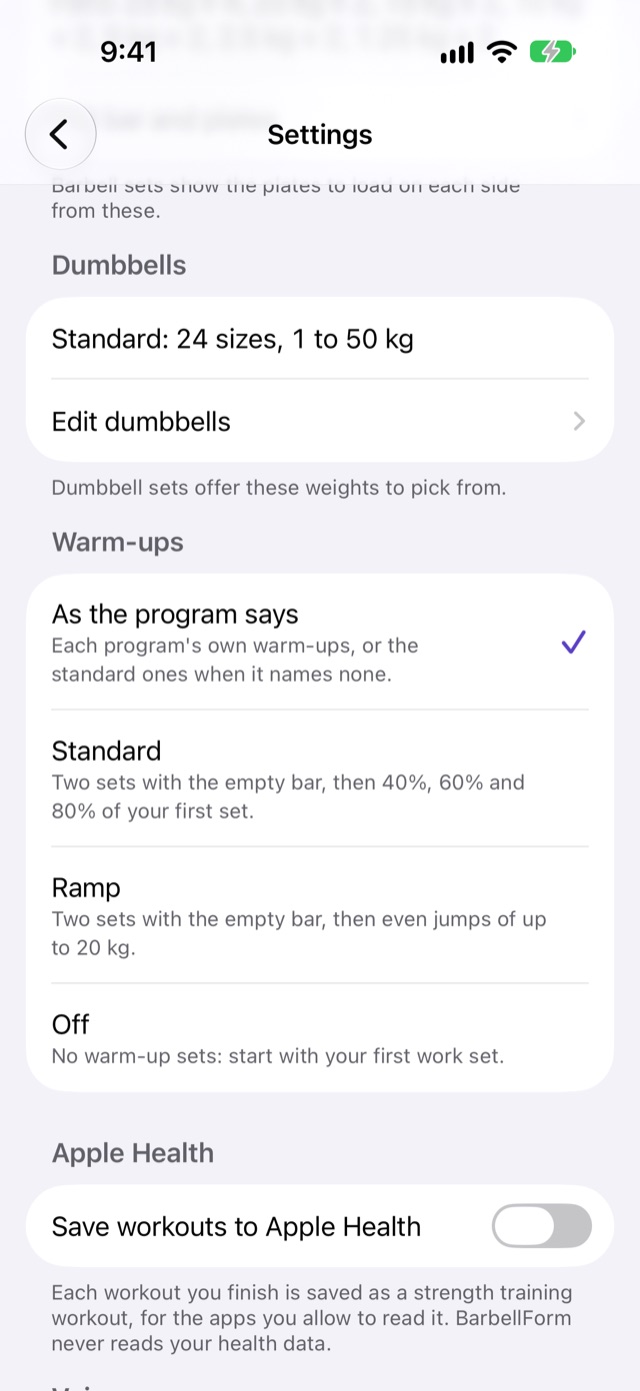
Open Settings from the gear on Today and scroll to Warm-ups. There are four choices:
- As the program says: the program’s own warm-ups, or the standard ones if it names none. This is where you start.
- Standard: two sets of 5 with the empty bar, then 5 reps at 40%, 3 at 60% and 2 at 80% of your first work set.
- Ramp: two sets with the empty bar, then even jumps of up to 20 kg (45 lb) to your first work set.
- Off: no warm-up sets. You start with your first work set.
Every weight is rounded to something your bar and plates can make, so the 40% set is a weight you can actually load.
Warm-ups are planned for barbell lifts only. Dumbbell, machine and bodyweight exercises start at the work sets.
-
Find them in the workout
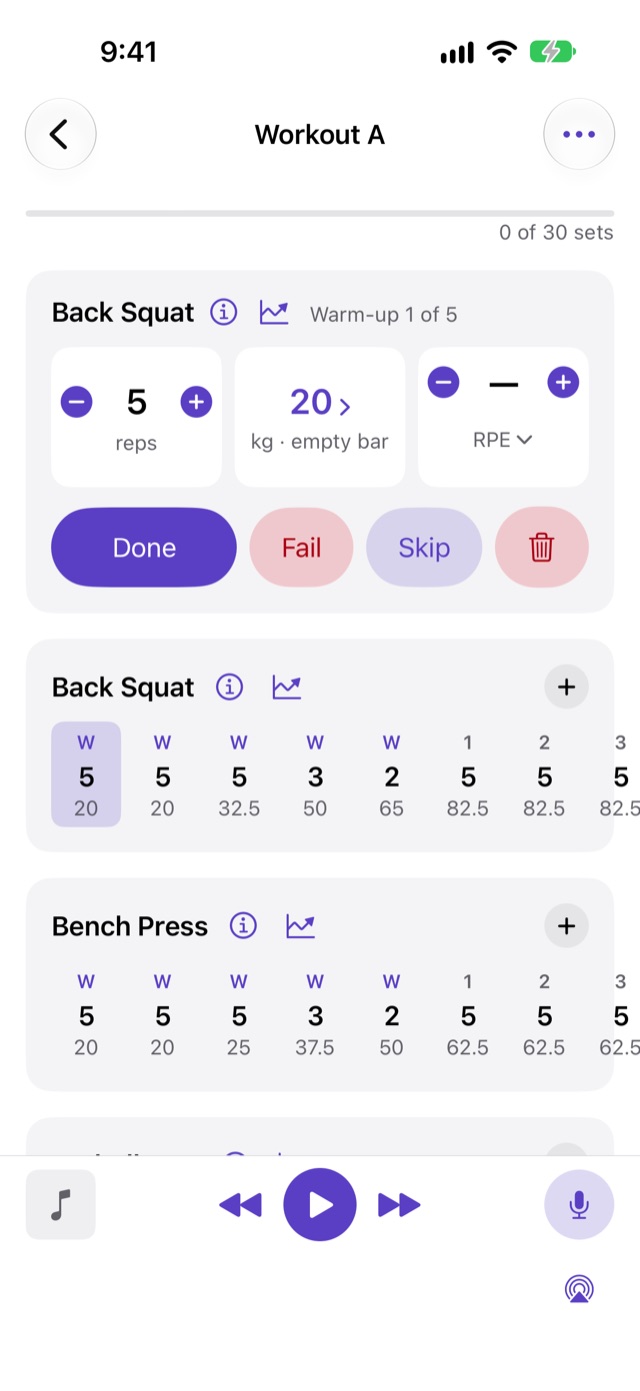
On Today, a lift’s warm-ups are tagged Warm-up above its work sets, each with the plates to load. Once you start, the logger shows them first in the exercise’s row, marked W instead of a number.
Your work sets are numbered without them. On a 5×5 with three warm-ups, the first work set is set 1, not set 4.
-
Open the set you logged
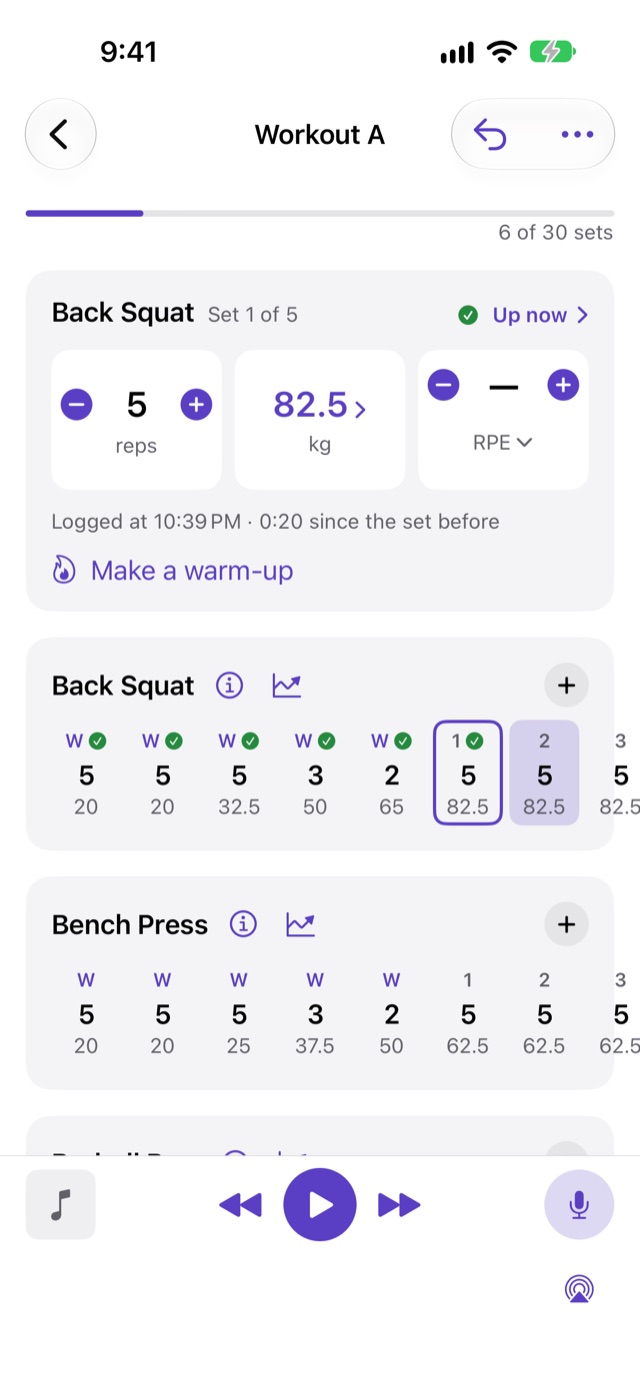
Say your first set at 82.5 kg felt like a last warm-up, and you want to do five full work sets after it. Tap that set in the exercise’s row. It opens in the pane at the top of the logger as “Set 1 of 5”, with its figures, the time you logged it, and the time since the set before.
The set you’re due to do next stays put. Up now in the pane’s header takes you back to it.
-
Tap Make a warm-up
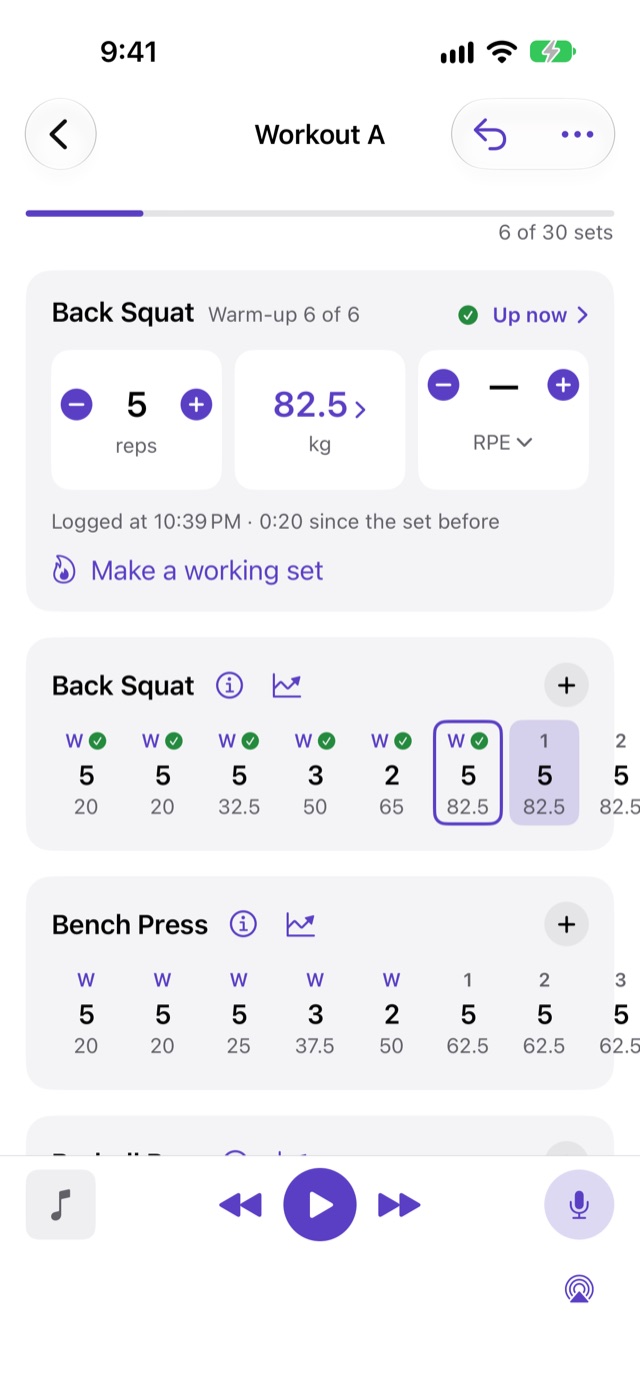
The pane now reads “Warm-up 6 of 6”, the set shows W in the row, and the work sets after it renumber from 1. Nothing else about it changes: the reps, the weight and the time you logged it are kept.
From then on it counts as a warm-up everywhere:
- It isn’t part of the workout’s total lifted or its sets done.
- It doesn’t count in History’s volume for that session.
- It can’t set a record for the exercise.
-
Changed your mind?
Tap Undo straight away, or open the set again: the button now reads Make a working set. A set you changed goes back to the kind the program gave it, so a top set is a top set again. A set the program planned as a warm-up becomes a working set, if you went heavier than planned and want it to count.
A past workout opened from History shows the same rows and the same pane, so you can fix a set there too. The session’s totals and your records follow the change.
Next: Logging a set